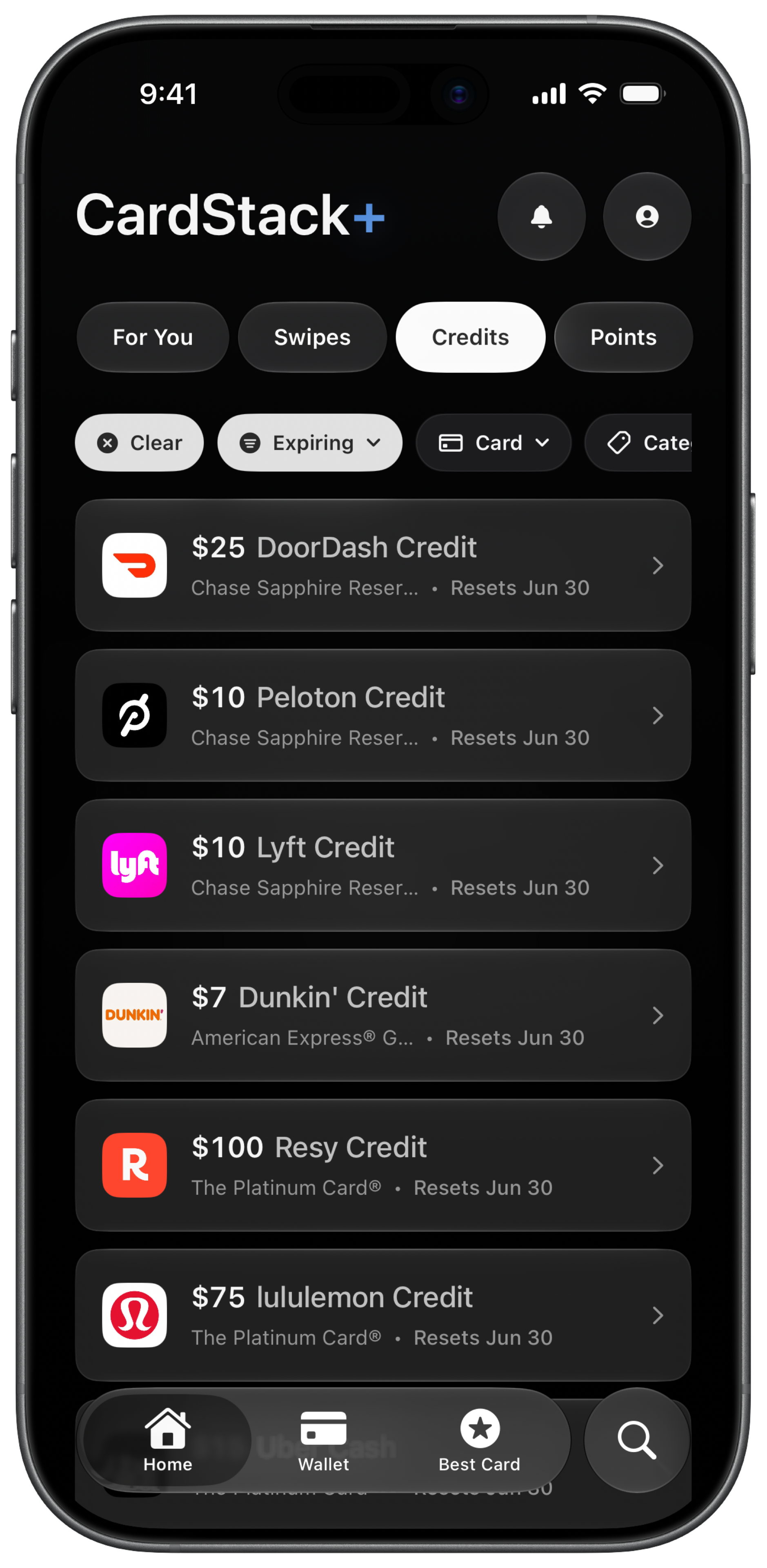
The annual fee is paid up front, but Amex credits drip out on their own schedules: the Uber Cash credit resets every month whether the last one was used or not. Benefits spread across cards and reset cycles lapse quietly unless one place is tracking them.
How do you track Amex benefits manually?
- List every credit on each Amex card. Open your card agreements or a reference like the Amex Platinum credits list. Write down each benefit, the dollar amount, and the reset period (monthly, quarterly, semi-annual, or annual).
- Build a spreadsheet. Create rows for each credit with columns for amount, period, amount used, amount remaining, and next reset date. Update it every time you redeem or when a new period starts.
- Set calendar reminders. For credits that expire or reset on a schedule, add recurring calendar events. A $15 monthly Uber Cash credit on the Platinum resets every month whether you used the last one or not.
- Check statements after purchases. A statement credit is a reimbursement line item on your bill when you make an eligible purchase. Confirm the credit posted and match it to the right benefit in your spreadsheet.
- Review before each reset. The week before a credit resets, check what is left. Unused airline fee credits and semi-annual Saks credits are common losses.
- Reconcile at year end. Before your annual fee posts, total credits used across every Amex card. If the math does not justify the fee, you need that number before renewal day, not after.
How does CardStack track Amex benefits for you?
CardStack tracks statement credits and perks across Amex cards in the iOS app. Add your Amex Platinum, Gold, and other products on the free tier, and CardStack shows each credit with reset dates and used vs remaining balances.
On the free tier, you mark credits as used yourself. No bank link required. On CardStack+ with Plaid, CardStack can auto-detect when statement credits post from your transactions. See credit tracking and benefit pages like Platinum Uber Cash for specifics.
CardStack also calculates effective annual fee so you see whether your Amex cards are earning their keep after credits. For a full Platinum rundown, see the Amex Platinum benefits guide.
Manual vs CardStack at a glance
| Feature | Manual | CardStack |
|---|---|---|
| Setup | Build spreadsheet from card terms and benefit lists | Add cards in the app; credits populate from CardStack's database |
| Ongoing work | Update spreadsheet after every redemption and reset | Mark used on free tier; auto-detection on CardStack+ with Plaid |
| Reset reminders | Calendar events you maintain yourself | Push notifications before credits expire (CardStack+) |
| Best for | One or two Amex cards and a simple spreadsheet habit | Multiple Amex cards and credits that reset on different schedules |
| Bank link required | No | No on free tier; yes for automatic detection on CardStack+ |
What is automatic and what is not
Free tier: add your cards, see credits and reset dates, and mark credits used manually. No Plaid, no auto-detection.
CardStack+ with linked bank: Plaid sync analyzes transactions and can auto-detect when statement credits post. Push alerts for expiring credits require the app and appropriate notification settings.
Manual tracking is enough if you carry one or two Amex cards and review credits monthly. CardStack helps when you have several cards or keep missing resets.
Frequently asked questions
Can I track Amex benefits without linking my bank?
Yes. CardStack's free tier lets you add your Amex cards and track credits manually without Plaid. You mark each credit as used when you redeem it. Auto-detection from transactions requires CardStack+ and a linked bank account.
Does CardStack track Amex Offers the same as statement credits?
No. Statement credits (Uber Cash, airline fee credit, dining credits) are tracked in the app. Amex Offers are a separate system. CardStack's browser extension can enroll Amex Offers, but benefit tracking and offer enrollment are different features.
How many Amex cards can CardStack track?
Add every Amex product you carry on the free tier. CardStack supports premium cards across major issuers. There is no documented card limit on the free tier for manual credit tracking.
What is a statement credit?
A statement credit is money your card issuer applies to your bill when you make an eligible purchase. It shows as a negative line item on your statement, separate from points earned.
When do Amex credits reset?
It depends on the credit. Some reset monthly, some quarterly, some on calendar year, some on card anniversary. See the credit reset guide at cardstack.money/articles/guides/when-do-credit-card-credits-reset for a full calendar.
Related guides
Download CardStack on iPhone to track Amex credits, see reset dates, and mark benefits used without linking a bank.