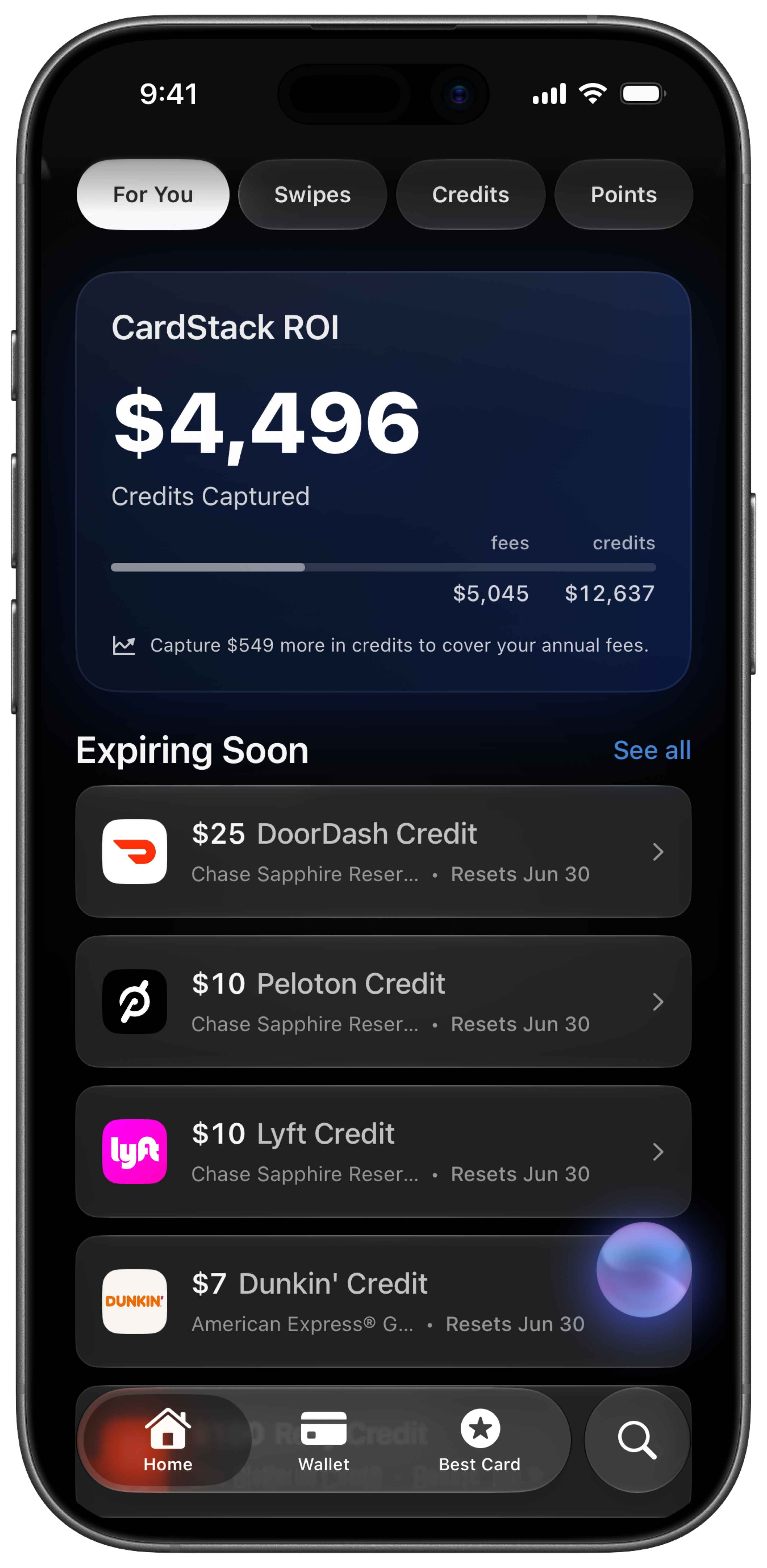
The annual fee posted and you are not sure the card paid for itself. You meant to track credits all year but the spreadsheet stopped in March. Renewal day is not the time to start counting.
How do you track annual fee ROI manually?
- Record each card's annual fee. Note the posted fee and when it hits. The Amex Platinum is $895. The Chase Sapphire Reserve is $795. Include authorized user fees if applicable.
- Track every credit you use. List statement credits redeemed during the year. Airline fee credit, Uber Cash, dining credits, travel credits. Only count what actually posted.
- Estimate rewards value. Convert points earned to dollars using your own cents-per-point assumptions. This is subjective and easy to get wrong.
- Calculate effective annual fee. Subtract credits used from the annual fee. An $895 fee minus $400 in credits used leaves an effective fee of $495. See the effective annual fee guide for examples.
- Update quarterly and decide. Refresh the spreadsheet before your renewal date. Decide keep, downgrade, or cancel based on whether the math still works for your spend.
- Account for cards you forgot to track. A no-fee card you barely use costs nothing. A premium card you stopped checking still charges full freight. The spreadsheet only works for cards you actually maintain.
How does CardStack track annual fee ROI automatically?
CardStack net fee offset shows what each card gave you versus what you paid in annual fees, using credits redeemed and rewards from real spending. On CardStack+ with Plaid, the numbers update from your transactions instead of manual spreadsheet entry.
On the free tier, add your cards and mark credits manually. CardStack still calculates effective annual fee from what you record. Linking a bank makes the credit and rewards numbers more accurate with less work. See benefit pages for credit amounts on specific cards.
For interactive math, use the annual fee calculator. For the formula explained, see effective annual fee explained and the keep or cancel framework.
Manual vs CardStack at a glance
| Feature | Manual | CardStack |
|---|---|---|
| Data entry | Update spreadsheet after every credit and fee post | Manual on free tier; auto-updated on CardStack+ with Plaid |
| Rewards included | You estimate point values yourself | Uses your valuations and real earn data on CardStack+ |
| Renewal decision timing | Scramble before fee posts if spreadsheet is stale | Running net fee offset visible before renewal |
| Best for | One premium card and a simple annual review | Several fee cards where credits and rewards need ongoing tracking |
| Multi-card view | Separate tabs or rows per card | All cards in one app with per-card ROI |
What is automatic and what is not
Basic effective annual fee math works on the free tier when you add your cards and mark credits manually. No bank link required.
Automatic updates from real spending and rewards analysis require CardStack+ with a linked bank. Without Plaid, the numbers are only as current as your last manual update.
A yearly spreadsheet pass is enough if you carry one premium card and use most of its credits. CardStack helps when several fee cards renew on different dates.
Frequently asked questions
What is net fee offset?
Net fee offset is CardStack's term for what a card returned to you (credits plus rewards value) minus the annual fee you paid. Positive means the card earned its keep.
What is effective annual fee?
Effective annual fee is your listed annual fee minus the statement credits you actually used. It does not include rewards value. An $895 card with $400 in credits used has a $495 effective fee.
Does CardStack track welcome bonus spend?
No. CardStack does not offer full welcome-bonus spend tracking toward minimum spend goals. CardStack tracks statement credits and sends transfer bonus alerts. Use issuer apps or your own notes for welcome bonus progress.
Can I track fee ROI without CardStack+?
Yes, on the free tier with manual credit marking when you add your cards. CardStack+ adds automatic credit detection and spending-based rewards value for more accurate ROI without spreadsheet maintenance.
When should I cancel a card based on ROI?
If your effective annual fee is high and you are not using the perks, consider downgrading or canceling before the fee posts. See the keep or cancel framework for a structured decision process.
Related guides
Download CardStack on iPhone to see net fee offset and effective annual fee before your cards renew.