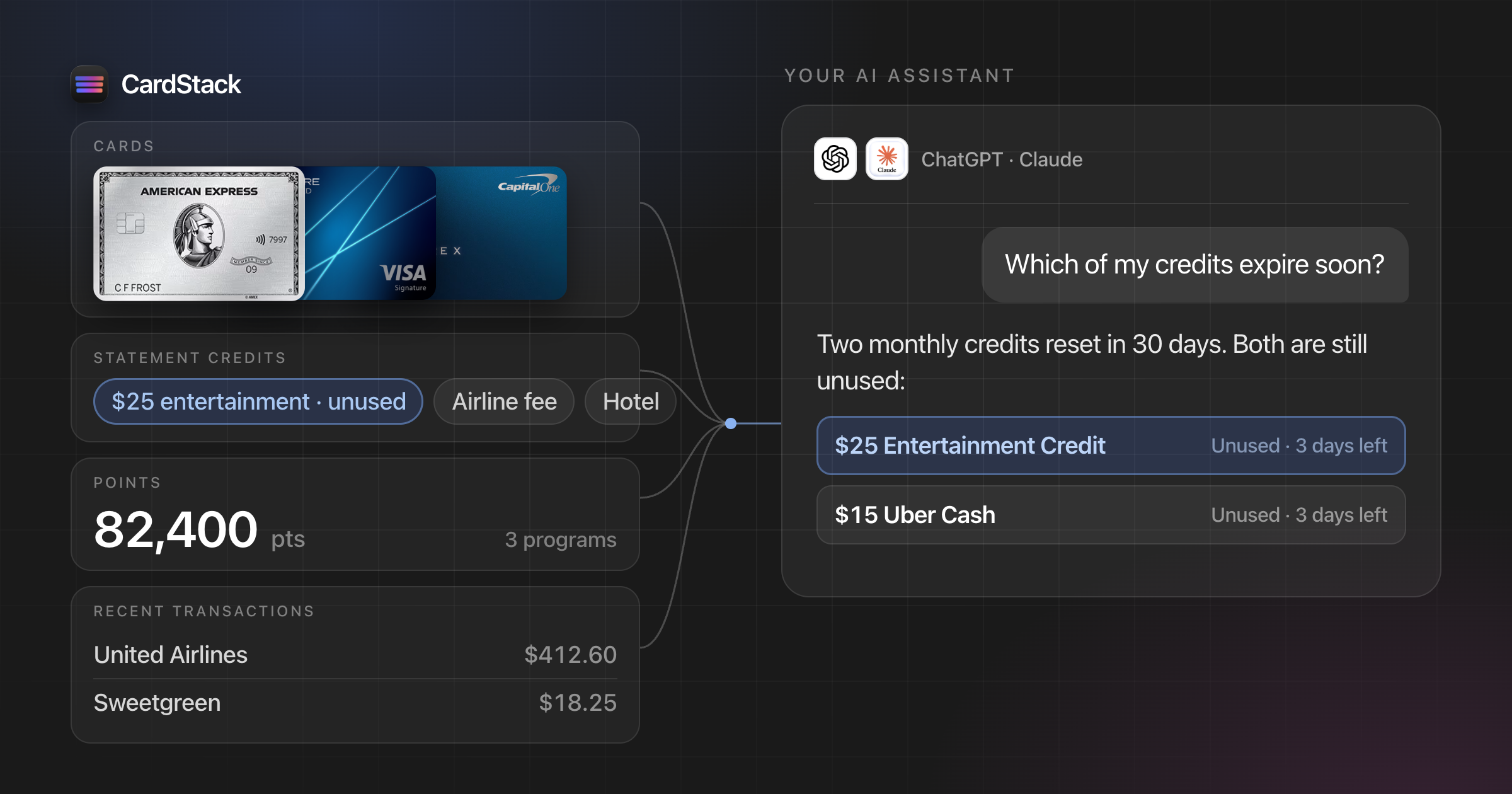
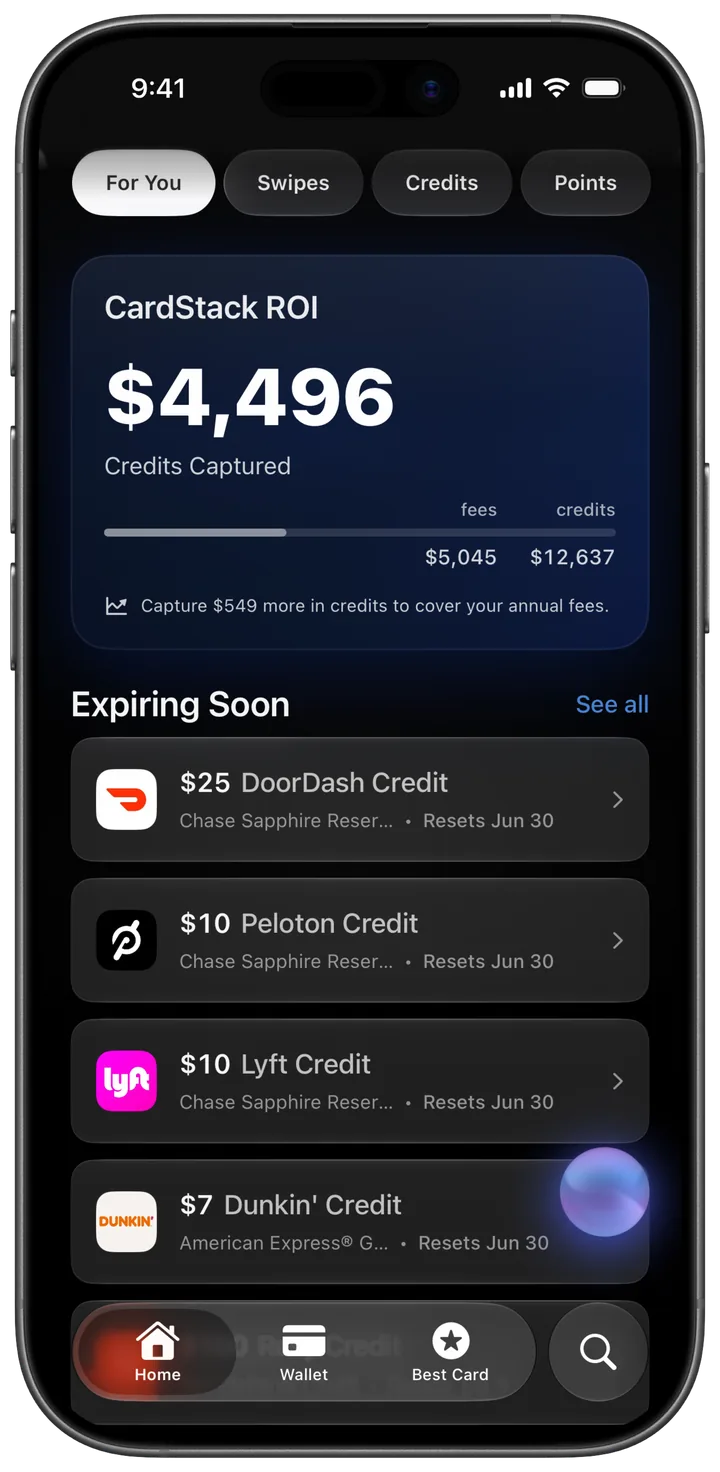
You can use ChatGPT to check which credit card benefits you haven’t used, how much you have left, and when those benefits expire. To get answers based on the cards you actually own, you’ll need to connect ChatGPT to your credit card wallet through CardStack.
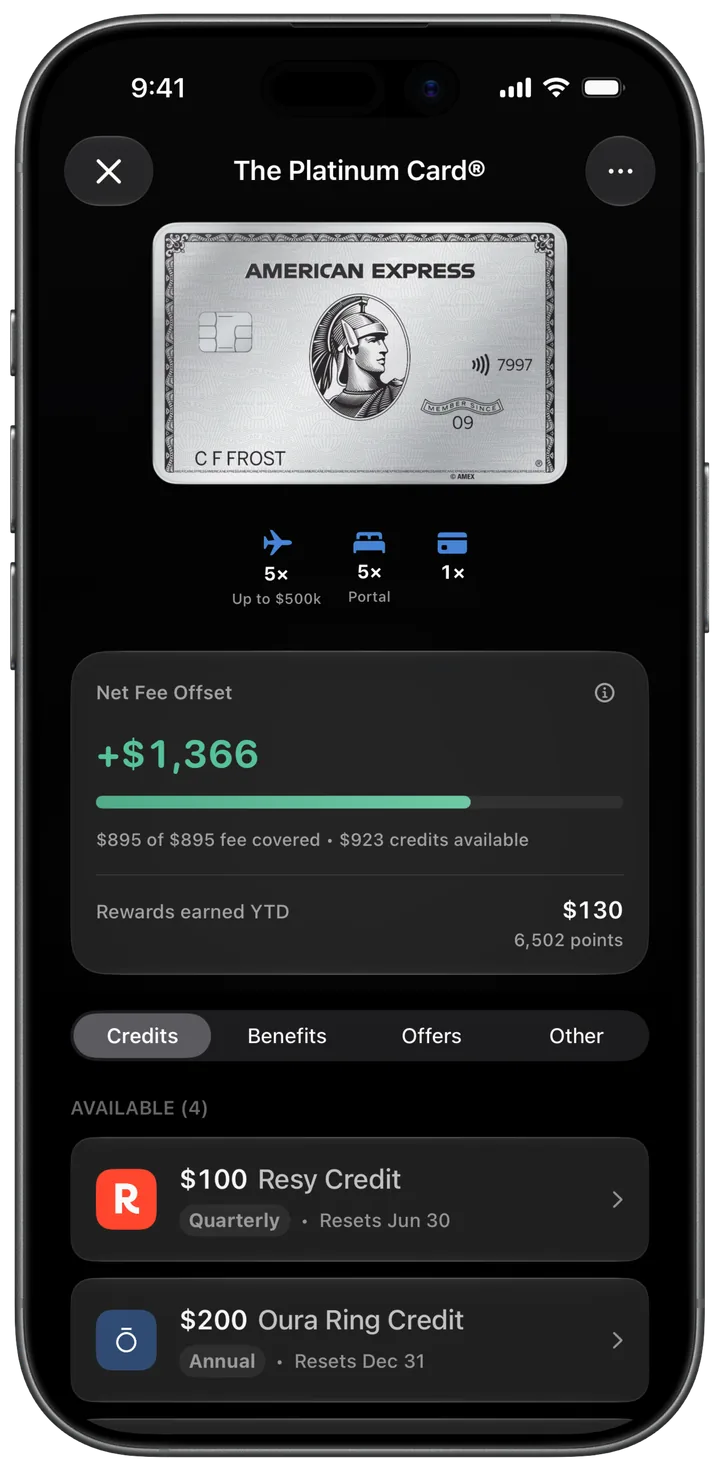
CardStack is a credit card rewards app that tracks your cards, statement credits, points, spending, offers, and annual fees. It can automatically track eligible credit redemptions, identify missed rewards, and recommend which card to use for different purchases.
CardStack also has an official ChatGPT app that allows ChatGPT to access your wallet securely. Once connected, you can ask about your unused benefits, analyze your spending, compare your credit cards, and plan how to use your points and miles for upcoming trips.
How to connect CardStack to ChatGPT
1. Create your CardStack wallet
Start by creating a CardStack account and adding your credit cards.
We recommend downloading CardStack for iOS or Android and completing two additional steps to give ChatGPT more information about your cards.
Connect your bank accounts
CardStack+ uses Plaid to securely connect supported credit card accounts and analyze your transactions.
This allows CardStack to:
- Automatically track eligible statement credit redemptions.
- Calculate the estimated cash back and points you’ve earned.
- Identify purchases where another card would have earned more rewards.
- Calculate the net value of each card and your entire wallet.
Install the CardStack browser extension
The CardStack extensions for Chrome and Safari add several useful features:
- Sync points balances from American Express, Chase, Capital One, and Marriott.
- Auto-add eligible Amex Offers and Chase Offers.
- Recommend the best card to use when shopping online, including relevant offers and benefits.
The extension requires CardStack+ and must be connected to your CardStack account.
Completing these steps gives ChatGPT access to a more complete picture of your rewards, benefits, and spending when you authorize that information.
2. Connect CardStack to ChatGPT
Open the official CardStack ChatGPT app.
Install it if prompted, sign in with your CardStack account, and authorize access to your wallet.
Personal wallet access requires an active CardStack+ subscription or trial.
The connection is read-only. ChatGPT can retrieve your CardStack information, but it cannot make purchases, transfer points, or change your credit card accounts.
Sharing detailed transactions is optional. You can ask about your tracked benefits and points without granting access to individual purchases.
3. Start asking ChatGPT about your cards
Open a ChatGPT conversation and select CardStack using @ or the + menu.
You can now ask ChatGPT questions about your own wallet.
For example:
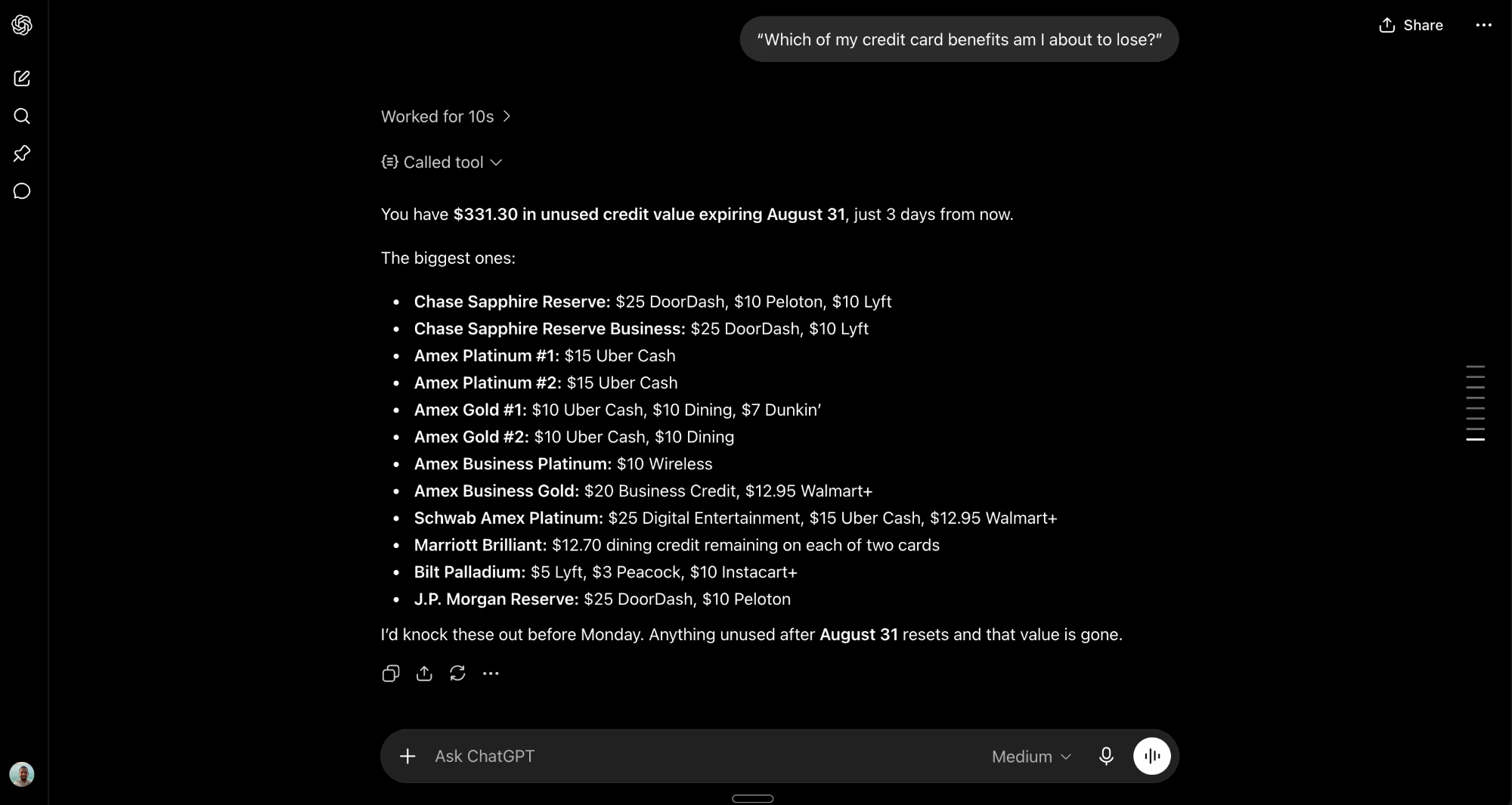
Use CardStack to show me which credit card benefits I haven’t used this month, how much is still available, and when each one expires.
ChatGPT will check your tracked CardStack benefits and organize the results by card.
You can also use the CardStack Claude connector to access the same wallet information through Claude.
For more information, see our guide to connecting CardStack to ChatGPT and Claude.
What else can ChatGPT do with CardStack?
Once connected, ChatGPT can help with several decisions beyond checking statement credits.
Find unused benefits and set reminders
Ask ChatGPT which credits are expiring this month, how much remains on each card, or whether you’ve already used a specific benefit.
For example:
Which Amex Platinum and Chase Sapphire Reserve credits do I still have available before the end of the month?
You can also ask ChatGPT to set reminders for upcoming expiration dates, where its built-in reminders feature is available. CardStack itself provides push notifications and email reminders for expiring credits.
CardStack’s connection is read-only, so ChatGPT handles any reminders it creates separately.
Analyze your spending and missed rewards
CardStack analyzes eligible transactions from your connected credit cards to estimate rewards earned and identify purchases where another card could have earned more.
With detailed transaction access enabled, you can ask ChatGPT:
Analyze my spending over the last 30 days. How many points did I earn, how many could I have earned, and which cards should I have used instead?
ChatGPT can review CardStack’s spending analysis and help identify patterns, such as using a 1X card for purchases where another card in your wallet earns 3X or 4X.
Find the best card for your next purchase
You can also ask ChatGPT which card in your wallet offers the best return for a particular purchase.
For example:
I’m booking a $2,000 flight. Which of my credit cards should I use, and how many points would I earn?
CardStack provides the earning rates and estimated rewards values for your cards, allowing ChatGPT to compare your options.
You can ask similar questions about restaurants, groceries, hotels, or online purchases.
Plan trips using your points and miles
CardStack tracks supported points balances and active transfer bonuses, giving ChatGPT information it can use when helping you plan award travel.
For example:
I want to fly business class to Europe. Check my points balances and transfer partners, and help me figure out which rewards program I should use.
ChatGPT can compare your tracked balances, identify participating airline transfer partners, and calculate how many points you may need for a particular redemption.
If you already have 20,000 airline miles and an award costs 60,000 miles, it can help determine whether your transferable credit card points could cover the remaining 40,000 miles.
Award prices and availability change, so you’ll still need to confirm the flight, transfer ratio, and any available bonus before moving points.
CardStack does not book flights or transfer points on your behalf.
Check whether your cards are worth keeping
CardStack calculates net card value and net wallet value using your tracked annual fees, redeemed credits, and estimated rewards.
You can ask:
Based on my credits and rewards this year, which of my cards have covered their annual fees, and which ones haven’t?
This can be particularly useful before a card’s annual fee renews.
How accurate are ChatGPT’s answers?
ChatGPT uses the information available in your connected CardStack wallet. Its answers depend on how recently that information was updated and which accounts you’ve connected.
For example, a statement credit may take time to appear in your transactions. Likewise, a points transfer completed yesterday may not yet appear in CardStack’s last synced balance.
CardStack also estimates points earned from spending. Those estimates can differ from issuer-confirmed balances because of refunds, adjustments, bonuses, and other account activity.
For final confirmation of a benefit redemption, points balance, or award booking, check the relevant issuer or loyalty program.
Get started with CardStack
The CardStack ChatGPT app lets you use your tracked credit card information directly in ChatGPT.
Start by creating your CardStack wallet, connecting your supported accounts, and installing the browser extension to sync your rewards balances and offers.
Once connected, you can ask ChatGPT about your available credits, spending, points, annual fees, and upcoming travel plans using the information already tracked in CardStack.
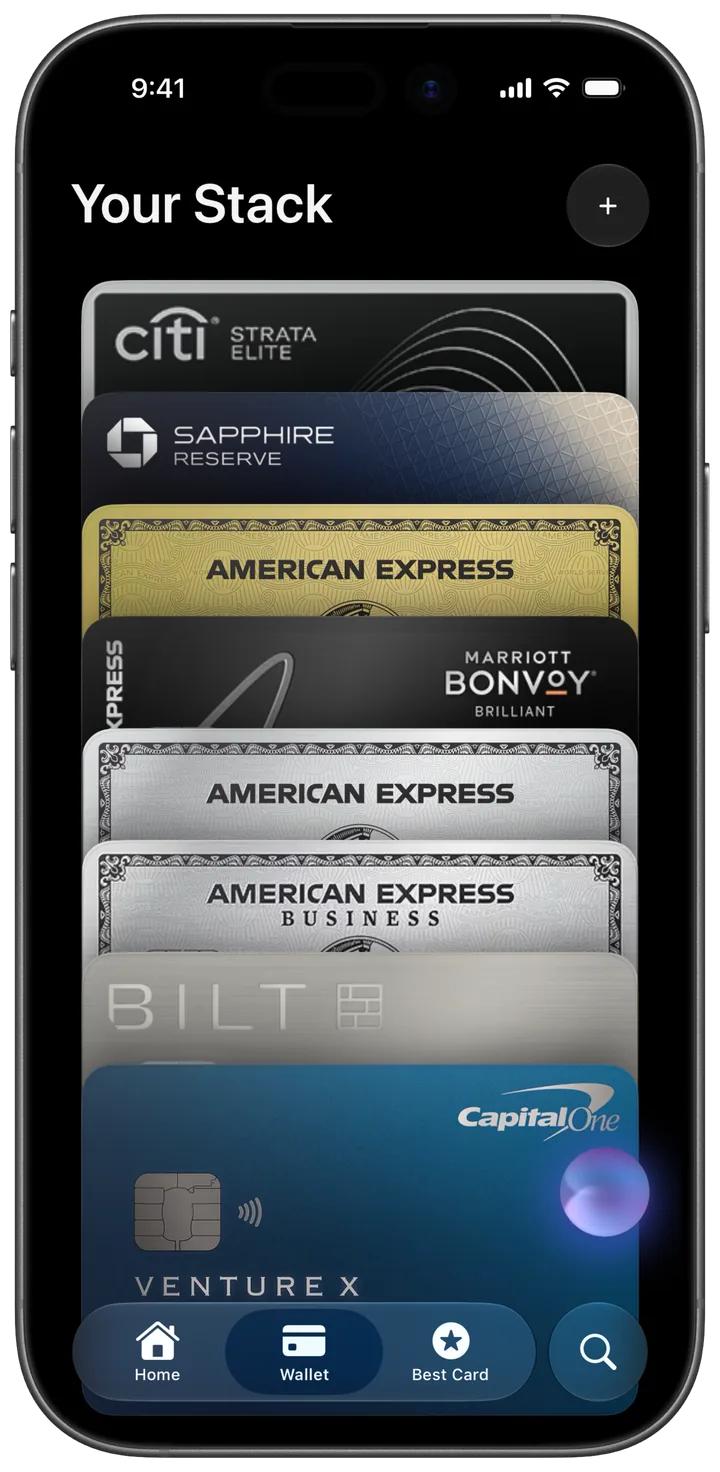
Maximize Your Credit Card Rewards
CardStack automatically tracks your benefits, activates your Amex and Chase offers, and shows you the best card at checkout so you can save more money and earn more points.




CardStack Insiders
Newsletter
Card news, standout deals, and product updates—straight to your inbox.
By signing up, you agree to our Terms and Privacy Policy. Unsubscribe anytime.
Read Next
Related articles